Ink Maintenance Cartridge Full/Missing
This error indicates that the ink maintenance cartridge (waste ink tank) is full or missing. The printer cannot operate until it is replaced or properly installed.
- 1Ink maintenance cartridge is full
- 2Ink maintenance cartridge is missing
- 3Ink maintenance cartridge not properly installed
- 4Faulty maintenance cartridge detection sensor
- 5Non-genuine or defective maintenance cartridge
- Printer displays '0x00C10009' error code
- Printer unable to print
- Printer prompts to replace maintenance cartridge
- Printer unable to perform cleaning cycles
- Printer continuously attempts to initialize
Video Guides
5 videosHow to fix ink cartridge errors on HP Inkjet printers | HP Support
More Videos

HP Printer Replace the Maintenance Cartridge

How to fix Missing or damaged ink cartridge error message on HP Printers

HP Cartridges Depleted Error - How To Fix
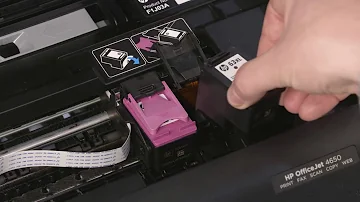
How To Fix an Incompatible or Missing Cartridge Error HP Inkjet Printers HP
Get the full detailed repair guide with expert pro tips.
No signup required for basic access
Need Professional Help?
Chat with our AI assistant to get matched with a certified repair professional.
A replaceable cartridge that collects excess ink from printhead cleaning cycles, spitting, and other maintenance operations.
A numeric or alphanumeric code displayed on the printer's front panel or in diagnostic logs that identifies a specific hardware or software malfunction.
The complete system that stores, transports, and delivers ink from the cartridges to the printheads, including tubes, valves, and pressure regulators.
A collection of wear parts and consumables designed to be replaced at specific service intervals to prevent failures and maintain print quality.
HP 711 ink cartridges are available in black (80ml/38ml), cyan, magenta, and yellow (29ml) for DesignJet T120, T520, T125, T130, T525, and T530 printers.
HP 727 ink cartridges come in 6 colors for DesignJet T920, T930, T1500, T1530, T2500, T2530, and T3500 printers.